ADVERTISEMENT
Sleep Cycle says its app has passed 40 million downloads. More than 3 million people worldwide use it, showing interest in nightly sleep data.
Sleep tracking apps for iPhone record different information and may need different devices. Sleep Cycle tracks movement, while Sleep Monitor detects sounds, estimates sleep stages, and offers daily, weekly, and monthly reports. These tools help you notice sleep quality trends over time.
Key Takeaways
- Sleep Cycle reports more than 40 million downloads and over 3 million users worldwide.
- Sleep Monitor records sleep, detects sounds, estimates sleep stages, and provides reports.
- Sleep Cycle has a 4.7-star rating from 32,000 ratings and requires iOS 16.2 or later.
- Sleep Monitor has a 4.6-star rating from 5,400 ratings and requires iOS 13.0 or later.
- Both apps list in-app purchases, so check what features are included before choosing.
What nightly sleep patterns can an iPhone app show you?
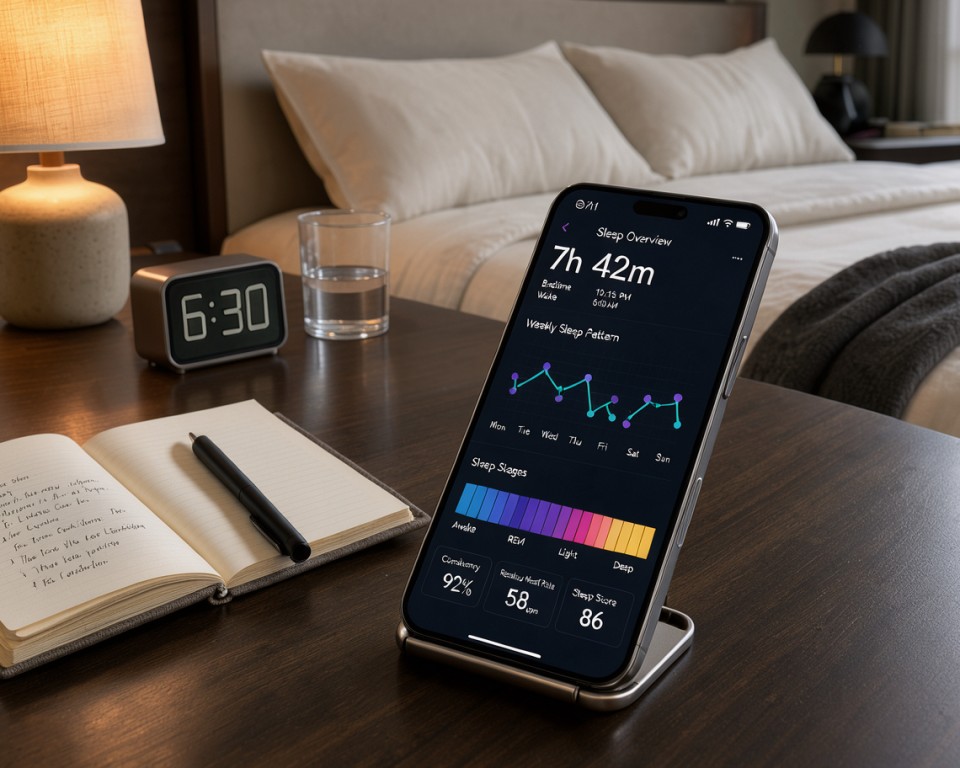
An iPhone sleep app can estimate when you fell asleep, how long you slept, and how often you woke. Sleep Cycle says it uses sound or phone movement to track sleep without a wearable. Its reports show sleep stages, daily stats, and longer-term trends.
ADVERTISEMENT
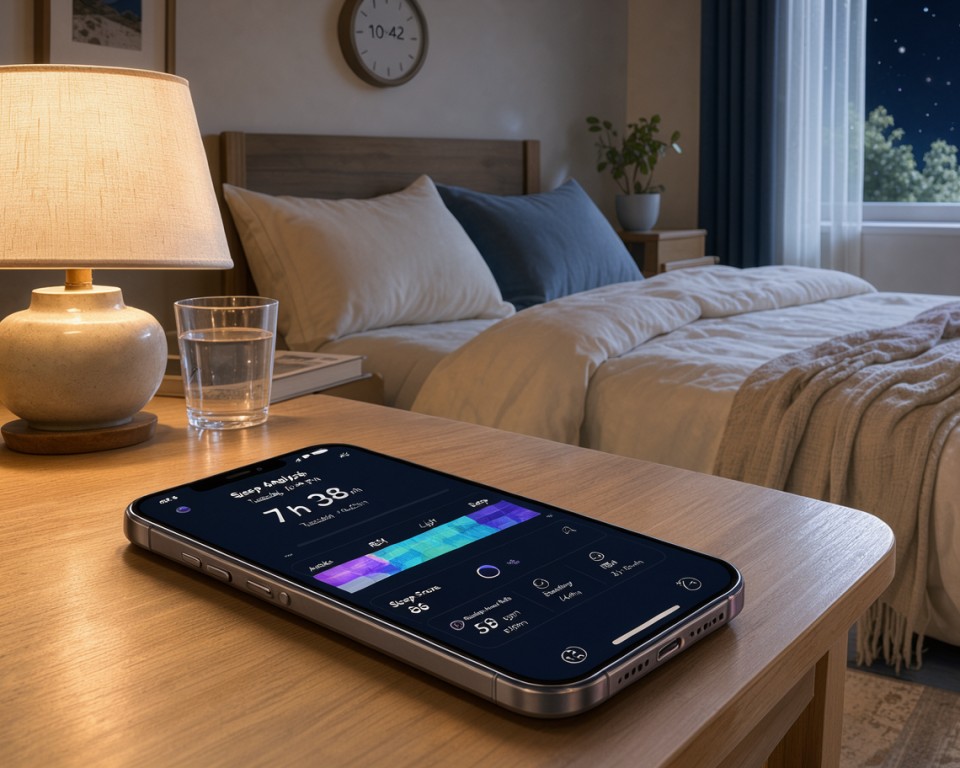
Sleep Monitor records sounds such as snoring, coughing, and sleep talking. Its sleep stage analysis estimates light, deep, and REM sleep. Snoring detection can help you review noisy periods and breathing patterns.
These results are estimates, not medical measurements. One reviewer said Sleep Monitor sometimes counted awake time as sleep. Treat app reports as clues about patterns, not proof of what happened each night.
Which sleep tracking method fits your iPhone setup?
Sleep tracking apps for iPhone can use your phone, an Apple Watch, or another wearable. Your best choice depends on your current gear and the sleep stage analysis you want.
Phone-only tracking
Sleep Cycle uses sound analysis or an accelerometer to track sleep without a wearable. It recommends placing your iPhone on the nightstand. Sleep Monitor records nighttime sounds and estimates sleep stages, offering another phone-only choice.
Apple Watch tracking
Sleep Cycle is compatible with Apple Watch running watchOS 9.0 or later. Its product details do not explain a specific Watch tracking method. Check the app’s current features before relying on it for sleep stage analysis.
Third-party wearable tracking
If you already wear another sleep tracker, check whether its app can share data with your iPhone app. The available details for Sleep Cycle and Sleep Monitor do not name third-party wearables or explain their connections.
How Sleep Cycle, Pillow, and AutoSleep approach nightly reviews
These sleep tracking apps for iPhone suit different routines and devices. Check each app’s features before relying on its nightly reports.
Sleep Cycle for movement-based sleep insights
Sleep Cycle uses sound analysis or an accelerometer to detect sleep patterns. It reports sleep-stage information, long-term trends, and notes about your night. Its Smart Alarm aims to wake you during a lighter sleep phase.
Sleep Cycle lists Apple Watch support for watchOS 9.0 or later. Premium features include Apple Health sync, which connects sleep records with other health data.
Pillow for Apple device integration
Pillow is another option for comparing Apple device integration. App Store listings call it a sleep app, but available details do not confirm its supported Apple devices or health features. Check its current listing before choosing it.
AutoSleep for Apple Watch data
AutoSleep appears among sleep tracking apps for iPhone, but its listing does not describe its Apple Watch data features. Review its current information and Apple Health integration options to see whether they fit your setup.
Which sleep metrics matter beyond total hours?
Total sleep time gives one useful number, but it cannot show a whole night’s pattern. Bedtime habits, wake-ups, and body signals add helpful context. Treat app estimates as patterns to review, not medical measurements.
Sleep duration and bedtime consistency
Sleep duration shows how long you spent in bed or asleep, depending on the app. Bedtime consistency helps you spot shifts in your routine. Sleep Cycle reports sleep patterns, goals, and scores. A reviewer says it tracks time to fall asleep, sleep regularity, and sleep efficiency.
Awakenings and sleep stages
Wake-ups can help explain why a night felt broken, even when total hours look adequate. Sleep stage analysis estimates time in light, deep, and REM sleep. Sleep Cycle offers stage reports, while Sleep Monitor lists estimated stages and daily, weekly, and monthly reports.
Heart rate and breathing trends
Overnight heart rate can offer context about changes from your usual pattern. One Sleep Monitor reviewer says the app measures heart rate, but its listed features do not confirm that tool. The app describes breathing patterns and nighttime sounds, not a medical breathing assessment; reviewer reports do not verify clinical accuracy.
| Metric | What it can show | What to keep in mind |
|---|---|---|
| Sleep duration | Estimated time asleep or in bed | Apps may define this measure differently |
| Bedtime consistency | How steady your sleep schedule is | Look for patterns across several nights |
| Awakenings and stages | Estimated wake-ups and time in sleep stages | Stage readings are estimates, not clinical results |
| Heart rate and breathing | Possible changes in overnight signals | Check which measures the app lists and how it describes them |
How to connect a sleep tracking app with Apple Health
Apple Health integration puts sleep records in one place with other health data. Among sleep tracking apps for iPhone, sync options and access rules can vary by app and plan.
Sleep Cycle lists Apple Health sync as a premium tool. Sleep Monitor says it can sync sleep and wellness information with Apple Health. Check each app’s settings and Apple Health permissions; details do not explain setup or the exact data shared.
Review privacy details before granting access. Sleep Cycle says Health & Fitness data may be collected and linked to your identity. Sleep Monitor lists identifiers as linked to you, while purchases, user content, identifiers, usage data, and diagnostics are not linked.
| App | Apple Health details | Privacy detail to note |
|---|---|---|
| Sleep Cycle | Apple Health sync is listed among premium tools. | Health & Fitness data may be collected and linked to your identity. |
| Sleep Monitor | The app says it can sync sleep and wellness information. | Identifiers are listed as linked to you; several other data types are listed as not linked. |
How to set up an iPhone sleep tracker for reliable trends
Steady habits make nightly records easier to compare. Set up app access, choose one device spot, and note changes that affect your rest.
Grant the right permissions
Check the app’s settings and allow access to its needed data and features. Sleep Cycle uses the microphone for sound tracking, while its accelerometer works without a wearable. Sleep Monitor records nighttime sounds and can sync with Apple Health.
Keep your phone or watch positioned consistently
Use the same placement each night when possible. Sleep Cycle recommends placing the phone on a nightstand for sound tracking. A steady setup improves comparisons, but no position guarantees perfect readings.
Record factors that affect sleep
Use a sleep diary to note caffeine, stress, exercise, or late meals. Sleep Cycle lets you add sleep notes, while Sleep Monitor tracks habits like caffeine and exercise. Bedtime reminders can help you keep a regular schedule.
How to read weekly and monthly sleep patterns
One restless night may mean little. Review a full week or month for changes in bedtime, sleep duration, and wake-ups. These sleep quality trends provide context, but they are estimates, not a diagnosis.
Sleep Cycle offers daily stats, long-term trends, global comparisons, and notes about caffeine, stress, or exercise. One reviewer said these notes helped them raise average sleep from 6.5 to 7.4 hours and notice links with weather. This is one person’s experience, not proof of a cause.
Sleep Monitor provides daily, weekly, and monthly reports on sleep duration and patterns. One reviewer used the reports to track progress and adjust habits. Pair app charts with a sleep diary to record details, such as late meals or a changed routine.
| View | What to review | Helpful context |
|---|---|---|
| Weekly | Bedtime, wake time, and total sleep across several nights | Note workdays, exercise, or caffeine in your sleep diary |
| Monthly | Recurring shifts in sleep duration and timing | Check whether changes match routine or seasonal shifts |
| App estimates | Patterns shown by Sleep Cycle or Sleep Monitor | Treat reports as personal tracking, not clinically validated results |
What privacy and subscription details should you check?
Before choosing among sleep tracking apps for iPhone, review each app’s App Store privacy details and current subscription terms. Check what data it collects, how it may be shared, and which tools come with the free version.
Health data storage and sharing
Sleep Cycle’s disclosure says identifiers may track you across other companies’ apps and websites. It lists Health & Fitness data, purchases, location, contact information, identifiers, usage data, and diagnostics as collected data linked to you.
Sleep Monitor’s disclosure says identifiers may be used for tracking, and lists identifiers as linked to you. It lists purchases, user content, identifiers, usage data, and diagnostics as not linked to you. Also check Apple Health integration permissions to know which health details an app can read or add.
Free features and paid plans
Both apps are free to download with in-app purchases, but some tools may require payment. User reviews say some Sleep Cycle sleep-stage and sound-recording features, plus some Sleep Monitor audio playback and charts, require payment.
Sleep Cycle lists purchases from $2.99 to $57.99, with some options marked Premium. Sleep Monitor lists a $9.99 weekly plan, monthly plans at $14.99 and $19.99, and annual plans from $19.99 to $49.99.
Its subscriptions renew unless canceled at least 24 hours before the billing period ends. Prices and offers can change, so check the current in-app terms before you subscribe.
How to choose the right iPhone sleep tracking app for your routine
Start with the data you want and the devices you use. Sleep Cycle tracks movement or sound with your phone, so you need no wearable. It offers a Smart Alarm, sleep notes, sound detection, long-term comparisons, and Apple Health sync as a premium feature.
Sleep Monitor may suit people who want estimated sleep stages, snoring and other sound recordings, lifestyle tracking, and bedtime reminders. It includes a Smart Alarm, relaxing sounds, meditation, reports, and Apple Health syncing. The app says it is not a medical device and provides no medical advice, diagnosis, or treatment.
Compare current ratings, subscription costs, privacy terms, and free features before choosing. Check iOS compatibility: Sleep Cycle requires iOS 16.2 or later, while Sleep Monitor requires iOS 13.0 or later. For Pillow or AutoSleep, review each current listing instead of assuming features match other sleep tracking apps for iPhone.
Use snoring detection only to review nighttime sound, not to make a diagnosis. A simple app that fits your habits may be easier to use night after night.
| App | Useful features noted | Details to check |
|---|---|---|
| Sleep Cycle | Phone-based movement or sound tracking, Smart Alarm, sleep notes, sound detection, and long-term comparisons | Requires iOS 16.2 or later; Apple Health sync is a premium tool |
| Sleep Monitor | Estimated sleep stages, sound recordings, lifestyle tracking, bedtime reminders, Smart Alarm, relaxing sounds, meditation, reports, and Apple Health syncing | Requires iOS 13.0 or later; the app says it is not a medical device |
| Pillow and AutoSleep | Feature details are not compared here | Check current app listings for features, ratings, costs, privacy terms, and free-plan limits |
Conclusion
The best iPhone sleep tracker fits your routine. Sleep Cycle can use phone sounds or movement to estimate sleep stages. Apple Watch apps can use watch data. Sleep Monitor also offers sound recording, sleep notes, reminders, and reports.
Use weekly and monthly reports to spot sleep quality trends, such as a shifting bedtime or frequent wake-ups. Treat sleep-stage estimates and overnight heart rate as general clues, not medical results. Available sources do not confirm clinical accuracy for these measures or breathing trends.
Before choosing an app, check its Apple Health support, privacy settings, and subscription terms. Keep your phone or watch in a steady spot, and note habits that may affect your rest. Consistent tracking can help you see patterns and decide what changes may be worth trying.