ADVERTISEMENT
Drivers have parked more than 100 million cars through SpotHero. This scale shows how parking finder apps for cities save time on busy downtown streets.
Downtown parking apps let you compare garages, check street rules, or reserve a spot before leaving. SpotHero offers reservations and pass management. SpotAngels helps users find free parking, check curb rules, and spot garage deals.
Key Takeaways
- Use parking search tools to compare streets, garages, and lots.
- Check whether an app covers the city you plan to visit.
- Confirm availability, prices, and parking rules before you drive.
- Reserve a garage spot when you want a more certain arrival.
- Check the entrance and vehicle limits before heading to a lot.
Match a parking app to the way you park downtown
Start with your parking plan. Do you need an open street spot, a garage reservation, or meter payment? Parking finder apps for cities meet different needs, so check each app near your destination.
ADVERTISEMENT
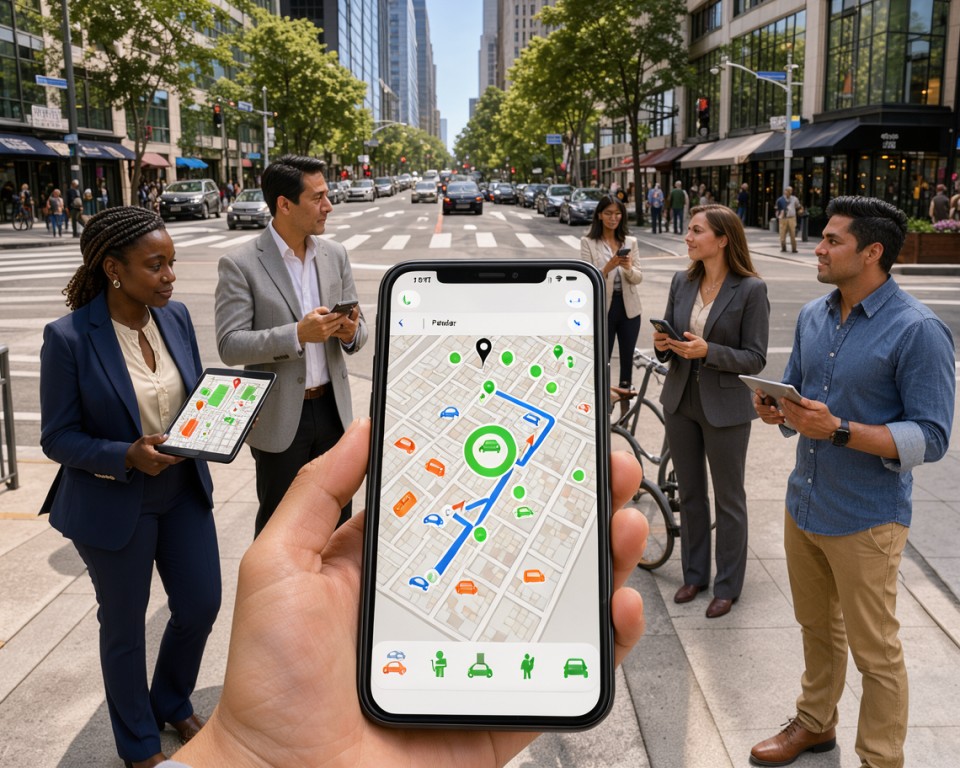
Use map apps to locate nearby streets, garages, and lots
Map apps help you scan streets, garages, and lots near your destination. SpotAngels shares free-parking details, street-rule reminders, and garage deals. Check signs when you arrive because rules can change by block and time of day.
Choose reservation apps for guaranteed garage or lot access
SpotHero lets you compare garage and lot rates for set dates and times. You can prepay and use your parking pass for directions. It also lists valet parking.
A reservation can help, but it may not ensure a space. Some drivers report full facilities or bookings that staff did not honor. Review the pass and facility details before you leave.
Use meter-payment apps for curbside parking
For curbside parking availability, check a city’s parking app and read local signs before leaving your car. ParkChicago and ParkBoston are city parking apps; confirm their current features in your area. Check that the app supports parking meter payment for your space and note any time limits.
Check whether an app covers your destination city
Before relying on a parking app, confirm that it serves your destination city. SpotHero lists reservations in major U.S. cities, including New York City, Los Angeles, Chicago, Atlanta, Austin, and Seattle. Its listings cover more than 300 North American cities, and Apple CarPlay supports finding, booking, and paying for off-street parking.
Coverage can vary by area and parking type. A city may list private lots but provide limited details about municipal parking garages. Check the map near your destination; city parking coverage does not guarantee a spot on every block.
For downtown parking, review the address and access details before you leave.
| What to check | What it tells you |
|---|---|
| City listings | SpotHero names cities such as Boston, Dallas, Denver, Miami, Philadelphia, and Washington, D.C. |
| Regional reach | SpotHero says its app supports off-street parking in more than 300 North American cities. |
| Garage details | The available sources do not give a city-by-city list of municipal parking garages. |
Verify live availability before driving downtown
Check the listing shortly before you leave. Parking availability apps show garage and lot options, but listings may not match spaces available when you arrive.
SpotHero lets drivers search for and reserve off-street parking in garages, lots, and valet facilities. SpotAngels helps drivers find open garage spots and deals. Details do not confirm real-time occupancy data for curbside spaces, so check signs before relying on curbside parking availability.
A SpotHero customer review described arriving at a reserved San Francisco garage and finding it full. SpotHero replied that a reserved lot should not be full and said it would follow up with the facility. Keep your reservation details handy, and contact the app or garage if your space is unavailable.
Search street parking without missing curb restrictions
Maps can show open streets, but signs decide where you may park. Check the curb and nearby notices before you leave your car.
Read street-cleaning, loading-zone, and time-limit notices
Check signs near the space for street-cleaning hours, loading zones, and time limits. SpotAngels offers street-cleaning reminders and free-parking information, but details can vary by city.
Follow posted signs and local parking guidance to confirm rules for that block. App data may not include every curb restriction.
Confirm permit requirements and enforcement hours
Check whether parking permit rules apply to the street, and note enforcement hours. These limits can differ by block and time of day.
Before parking, confirm curbside parking availability with signs on site. Allow time to find another space if the rules do not fit your visit.
Reserve a garage or lot before you leave
For busy trips, parking reservations can save time and reduce the stress of circling downtown. With SpotHero, enter arrival and departure times, compare nearby garages and rates, then prepay to reserve a spot.
Check the parking pass for entry directions before driving. The app lets you view your pass, edit or cancel a reservation, extend your stay, and rebook a favorite spot. SpotHero says advance parking booking can save up to 50%, but rates vary by location and date.
Before leaving, review the reservation details and confirm the garage can serve your vehicle. Customer reviews report full or overbooked facilities and reservations that were not honored. SpotHero says it follows up with operating partners about these issues.
These issues matter when choosing municipal parking garages for a time-sensitive visit.
| Step | What to check | Why it helps |
|---|---|---|
| Compare | Dates, times, location, and rate | Find an option that fits your trip |
| Reserve | Payment and pass details | Keep entry information handy |
| Before driving | Directions and vehicle details | Reduce the chance of an entry delay |
Compare the total cost of each parking option
Compare the full cost, not only the hourly rate. SpotHero shows nearby garages and parking rates before you book. Its listings say advance reservations can save up to 50%.
Check taxes, fees, and your stay length before choosing.
SpotAngels promotes garage parking deals and discounts, while SpotAngels Plus adds extra features. Prices may vary, but the apps do not explain specific dynamic pricing rules or citywide rates. Review the final amount before you pay.
Watch your receipt, too. One SpotHero app reviewer reported a duplicate $70 charge after making two bookings. The reviewer said it was later refunded.
Navigate to the correct garage entrance or lot
Downtown navigation may lead to the street address instead of your needed garage entrance. Check the parking pass directions before leaving, and note entry or level details.
SpotHero includes directions to a selected garage on its parking pass. Its Apple CarPlay navigation integration helps drivers find, book, and pay for off-street parking. It works in more than 300 North American cities without using a phone.
If the app makes the address hard to copy, enter it into your map app before driving. One SpotHero reviewer said they had to type the address into Waze, so confirm the route and entrance in advance.
Filter spots for EVs, accessibility, and vehicle size
Use parking filters to narrow searches by vehicle type or space features when available. Review EV charging details, and confirm accessible parking spaces meet your needs before booking.
Check your vehicle’s height, length, and width against the garage rules. Vehicle-size restrictions may affect whether a booking is accepted, and some lots charge extra for oversized vehicles. Read the terms before you reserve.
Follow a fast parking search workflow
SpotHero sums up its process in three steps: look, book, and park. Enter arrival and departure times, compare nearby garages and rates, and prepay for a spot. Follow the parking-pass directions to reach the correct entrance.
This simple parking search workflow can make downtown parking apps easier to use. SpotHero lets drivers edit, extend, or cancel reservations, then book a favorite spot again in two taps. Its Apple CarPlay integration works in more than 300 North American cities, and these tools may support traffic congestion reduction.
SpotHero does not report a measured effect.
| Step | What to do |
|---|---|
| Look | Enter your dates and times; compare nearby garages and rates. |
| Book | Prepay, save your pass, and check the entry directions. |
| Park | Follow the pass instructions; edit or extend your reservation if plans change. |
Protect your location and payment information
Check an app’s privacy details before saving a card or searching for a space. Good parking app privacy habits include reviewing collected data and learning how to manage it.
SpotHero’s App Store disclosure says it may collect data linked to your identity. This includes payment information, location data, purchases, contact details, search history, and usage data. Its listing notes that practices may vary by features used or age.
You can review its privacy policy, exercise privacy rights, and manage personal-information sharing.
One SpotHero customer review described a duplicate charge after an app error. The reviewer said the charge was later refunded. Keep your receipt and check your card statement after booking.
Conclusion
Parking finder apps for cities can simplify downtown trips when you choose one that fits your needs. Check coverage, compare total costs, and confirm parking rules before you park.
SpotHero lets drivers compare and make parking reservations for garages, lots, and valet parking ahead of time. SpotAngels can help you find free-parking information, street-rule reminders, and garage deals.
For curbside parking, read local signs and confirm how parking meter payment works in that city. Before leaving, review your route, reservation details, and any limits for your vehicle.