ADVERTISEMENT
More than 15 million people use Expensify, showing how many turn to apps for receipt and expense management. For freelancers, a few taps can prevent business costs from piling up before tax time.
Receipt organizer apps for freelancers differ in how they collect and sort records. Expensify accepts receipts through its app, email, uploads, and text messages.
Wave offers mobile capture, email forwarding, and desktop uploads. Shoeboxed also provides mail-in scanning and mileage tracking.
ADVERTISEMENT
With digital receipt scanning and clear expense categorization, finding purchase proof and reviewing costs later becomes easier. The right app depends on how you collect receipts and which tools you already use.
Key Takeaways
- Expensify supports receipt capture by app, email, file upload, and text.
- Wave can turn receipt images into bookkeeping records.
- Shoeboxed offers digital uploads and prepaid mail-in scanning.
- Shoeboxed includes automatic mileage tracking with every plan.
- Choose a tool that fits your receipt habits and expense needs.
When does a freelancer need a receipt organizer app?
A receipt organizer helps when paper slips and emailed invoices pile up. It can sort purchases for bookkeeping, prepare tax deduction records, and find charge proof months later. Receipt organizer apps for freelancers make these records easier to search.
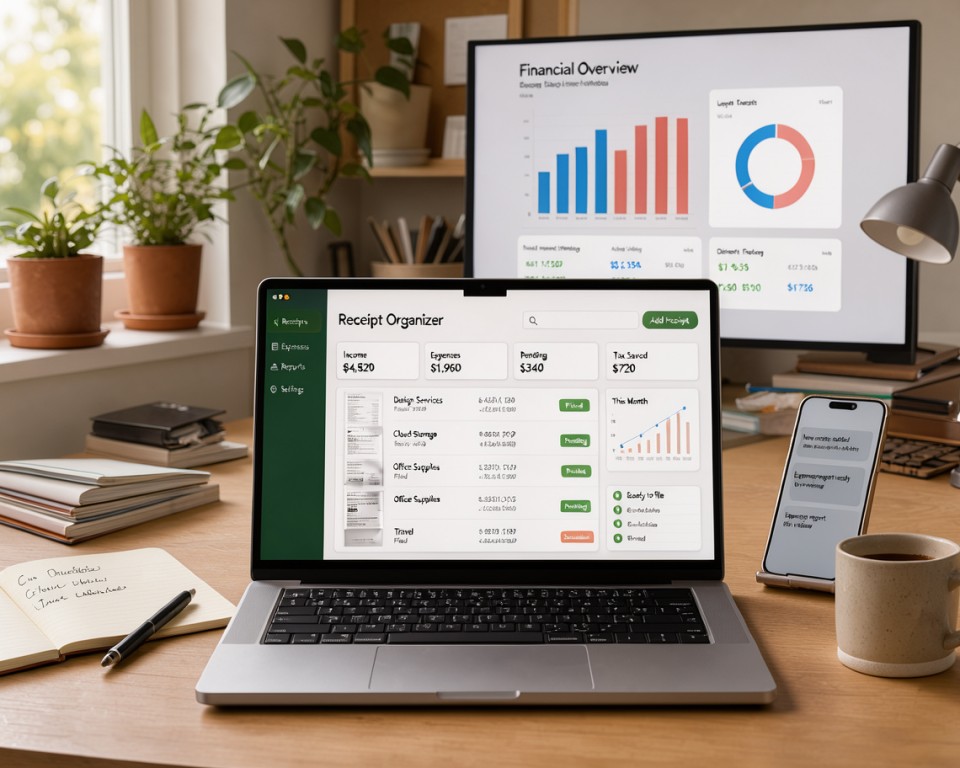
Wave syncs receipts uploaded from different devices and lets you filter past transactions. Shoeboxed offers searchable records and business expense reports with attached receipts, which can help when you work with a bookkeeper or accountant.
Expensify lets independent contractors track costs without joining a company account. You can submit expenses online or create a PDF to email, making it easier to share records when tax time comes around.
Which receipt capture options fit your daily workflow?
Your best method depends on whether a receipt starts in your hand, inbox, or computer folder. Receipt organizer apps for freelancers can keep these records in one place.
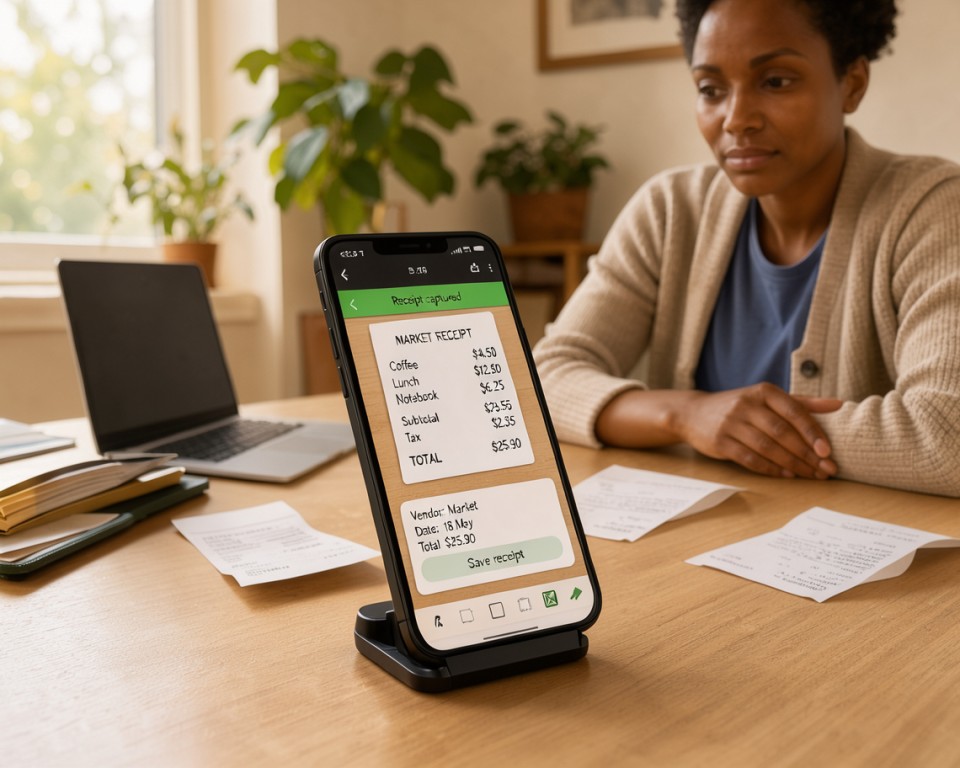
Scanning paper receipts with a phone
Use digital receipt scanning to photograph paper receipts as soon as you receive them. Expensify and Shoeboxed accept phone captures. Wave scans receipts in its mobile app, but it needs an internet connection to upload, process, and post them.
Forwarding emailed receipts to the app
Expensify accepts forwarded receipts at [email protected]. Wave gives users a unique forwarding address. Shoeboxed collects forwarded receipts and finds them with its custom Gmail plugin.
These options keep digital purchases with your other expense records.
Uploading receipts from a computer or cloud drive
Expensify supports uploads, while Wave accepts JPG, GIF, PNG, and PDF files. Shoeboxed offers desktop drag-and-drop uploads and scans mailed paper receipts in a prepaid Magic Envelope. Plan allowances range from one per year to two per month.
Receipt data extraction turns captured receipts into usable expense details.
How accurately can receipt apps read receipt details?
Receipt data extraction apps capture key details, but accuracy depends on clear images and printed text. Faded ink, creases, and glare may cause errors, so check every scan before saving it.
Expensify says its digital receipt scanning can capture the amount, date, and merchant. Its Concierge AI sorts expenses, flags policy issues, and applies rules to reduce manual errors.
Wave uses optical character recognition (OCR) to read receipt data and create bookkeeping records. Shoeboxed uses OCR to capture the vendor, total, date, sales tax, and payment type. Its data-entry specialists verify the extracted information, then send receipt details to accounting or filing systems as searchable records.
Reviewing scans catches mistakes and keeps expense categorization on track.
How should you organize expenses by client, project, and category?
A clear system makes costs easier to review at tax time and shows where project money goes. Group purchases by type, then add a client or project tag for specific work.
Sorting costs into tax and business categories
Expensify captures receipts, card transactions, and mileage, then uses AI and expense rules to support expense categorization. Shoeboxed sorts receipt data into 15 standard tax categories. You can create custom categories in either app for your work.
Tagging expenses to clients or projects
Add a client or project tag to costs like travel, supplies, or software. Shoeboxed lets you search and manage receipts, create custom reports with attached receipts, and export receipt data. These tools help keep business expense reports clear and useful.
Adding notes to explain unusual purchases
Write a short note when a charge needs context, such as a shared meal or one-time equipment rental. Clear notes support your tax deduction records. You can share Shoeboxed accounts with a bookkeeper or accountant, and the platform tracks who uploaded each receipt.
| Expense detail | What to record | Why it helps |
|---|---|---|
| Category | Travel, supplies, or software | Keeps costs grouped for review |
| Client or project | Use a consistent name or tag | Shows which work the expense supports |
| Note | Explain unusual or shared purchases | Adds context during review |
Which search and reporting tools make expenses easy to find?
Search and report tools save time when you need a receipt or review spending. Look for clear filters, useful totals, and records you can edit. Receipt data extraction and expense categorization can make business expense reports easier to check.
Shoeboxed offers searchable receipt details, category totals, editable records, and custom reports with scans attached. You can export receipts, too. When its receipt data connects to accounting software, reports can track supplies, spending patterns, and tax liability.
Wave lets users filter past transactions and review reports for cash flow trends. Expensify supports custom reports, submission and review workflows, and chat tied to individual expenses. Its compliance tools can flag duplicate receipts.
| App | Search and reporting features | Useful for |
|---|---|---|
| Shoeboxed | Searchable receipts, category totals, custom reports, and exports | Reviewing costs with scans attached |
| Wave | Transaction filters and cash flow reports | Finding past spending and tracking cash flow |
| Expensify | Custom reports, review tools, expense chat, and duplicate receipt checks | Managing report questions and receipt checks |
What receipt details should freelancers keep for tax records?
Keep a clear image of every receipt showing the vendor, purchase date, total, sales tax, and payment type. Add a short note explaining the business purpose when the purchase reason is unclear. These details create tax deduction records and connect each charge to your work.
Shoeboxed says its receipt data extraction captures key details: vendor, total, date, sales tax, and payment type. Shoeboxed says these images used as IRS records must match originals, stay legible, print when requested, and remain secure. Shoeboxed cites IRS Rev. Proc. 97-22 and says its archive is designed to meet those criteria.
Before relying on an app for IRS audit documentation, check how long it keeps records. Shoeboxed lists unlimited online file storage, with archive retention of two years for Starter and three years for Pro and Plus. Wave says previously scanned receipts remain available in your books after a subscription ends.
| Record detail | Why to keep it | App information |
|---|---|---|
| Vendor, date, total, sales tax, and payment type | Shows who was paid, when, and how much | Shoeboxed says OCR can extract these fields |
| Readable receipt image and business purpose | Helps explain the expense and support its tax treatment | Shoeboxed says images should match the original and remain legible |
| Archive access period | Helps you plan how long to keep copies | Shoeboxed lists two years for Starter and three years for Pro and Plus; Wave says scanned receipts stay in books after cancellation |
Can receipt apps connect with accounting and payment tools?
Connections reduce manual entry and keep records in sync. Check supported tools before choosing an app, because features may vary by plan.
Sending organized expenses to accounting software
Expensify connects with QuickBooks, NetSuite, Sage Intacct, Xero, Workday, Gusto, Uber, Lyft, and more than 45 other apps. Expensify’s accounting software integration can code, reconcile, and export expenses. Shoeboxed’s Pro and Plus plans connect with QuickBooks Online and Xero.
You can also export receipts to Neat, Zoho Expense, and other accounting tools.
Wave’s Pro Plan imports, merges, and categorizes bank transactions. These features help keep business expense reports current without repeated data entry.
Matching receipts with card and bank transactions
Expensify can match travel receipts to travel expenses. Users can link existing corporate cards for automatic reconciliation; the company says it supports more than 10,000 banks worldwide. For freelancers, receipt organizer apps for freelancers make it easier to check each receipt against a card or bank charge.
How do receipt organizer apps protect financial information?
Receipt apps may use encryption to protect files during transfer. Shoeboxed says it uses Secure Socket Layer encryption for digital documents and data. It stores paper records at a Durham, North Carolina, facility with controlled entry and security cameras monitored around the clock.
With Shoeboxed, users can ask to have paper receipts shredded after digital receipt scanning or returned. Check an app’s privacy policy and terms of use before uploading files. Wave says uploaded receipts are backed up to the cloud.
Expensify says its compliance tools flag duplicate receipts, check exchange rates, and compare transactions with company policies. These features can organize tax deduction records, but review your files and app settings to confirm they meet your needs.
How much do receipt organizer apps cost for freelancers?
Prices depend on your receipt volume and needed tools. Compare scan limits, team access, and mileage features before choosing receipt organizer apps for freelancers.
Comparing free plans and their usage limits
Expensify is free for individual users. Company plans start at $5 per member, and Expensify says card cash back may reduce plan costs. The available details do not list a free-plan scan limit.
Wave charges for its Receipts feature, so it is not free. Its Receipts and Pro plans offer unlimited scans for freelancers using digital receipt scanning.
Deciding when a paid plan is worth the expense
A paid plan may help when you need higher scan limits, team access, or accounting tool links. Shoeboxed plans also include mileage tracking software, which can help you record business trips.
| Plan | Price | Included features |
|---|---|---|
| Wave Receipts | $8 monthly or $72 yearly | Unlimited receipt scans |
| Wave Pro | $19 monthly or $190 yearly | Unlimited receipt scans |
| Shoeboxed Starter | $9 monthly or $97 yearly | 50 digital scans per month, 20 paper scans per year, one Magic Envelope per year, and three users |
| Shoeboxed Pro | $29 monthly or $297 yearly | 250 digital scans per month, 50 paper scans per month, one Magic Envelope per quarter, five users, and QuickBooks Online and Xero integrations |
| Shoeboxed Plus | $79 monthly or $797 yearly | 1,000 digital scans per month, 150 paper scans per month, one Magic Envelope per month, 10 users, and priority support |
| Shoeboxed Paper Plus | $179 monthly or $1,997 yearly | 5,000 digital scans per month, 300 paper scans per month, two Magic Envelopes per month, and 10 users |
Every Shoeboxed plan includes automatic mileage tracking and unlimited file storage. Annual billing saves 11% to 19% on listed plans. The 30-day money-back guarantee excludes physical scanning requested during the trial.
How can you set up a simple receipt-tracking routine?
A steady routine keeps receipts easy to find and records ready for tax time. Choose one app as your main archive, and add receipts as soon as you get them.
Importing existing receipts without creating duplicates
Start with receipts saved in email, folders, or cloud storage. Import them in batches, then check the app’s duplicate alerts before adding more. Expensify can flag duplicate receipts, while Shoeboxed lets you drag and drop desktop batches.
Receipt data extraction can save time, but compare dates, totals, and merchants with the original. Keep scans clear and readable. Shoeboxed advises users to retain legible scans and provide printed copies if the IRS requests them.
Reviewing and categorizing expenses each week
Set aside a short time each week to review new purchases. Confirm each expense category, add a client or project tag, and note unusual business costs. Regular expense categorization helps keep reports useful.
Wave accepts receipt uploads by phone, desktop, or email. Its OCR creates bookkeeping records, and its Pro Plan can import, merge, and categorize bank transactions. Review those entries to catch errors or duplicates.
Exporting records before tax filing
Before filing, export receipts and expense reports for the full tax year. Check that files open and totals match your records. Accounting software integration can keep expense details in sync; Shoeboxed’s Pro and Plus plans connect with QuickBooks Online and Xero.
| Routine step | What to do | Helpful app feature |
|---|---|---|
| Import | Upload saved receipts and review duplicate alerts. | Expensify flags duplicate receipts; Shoeboxed supports batch uploads. |
| Weekly review | Check totals, categories, and client or project tags. | Wave OCR creates bookkeeping records from receipt uploads. |
| Tax preparation | Export records and verify that scans are readable. | Shoeboxed provides searchable records and receipt data exports. |
Conclusion
For freelancers, receipt organizer apps for freelancers turn scattered slips and email receipts into clear expense records. Scan or upload receipts, sort costs by client and category, and review them weekly.
Expensify offers free individual use, expense reports, reimbursements, mileage tracking, and accounting integrations. Wave supports unlimited receipt scans and uploads by phone, computer, or email. Shoeboxed adds human-verified receipt data, tax categories, and mileage tracking.
Compare each app’s price, search tools, integrations, and data protections before choosing. The right mileage tracking software and regular reviews can keep your records current.
Save clear receipt images and key details for IRS audit documentation. An organized routine can reduce tax-time stress and clarify your business costs.